
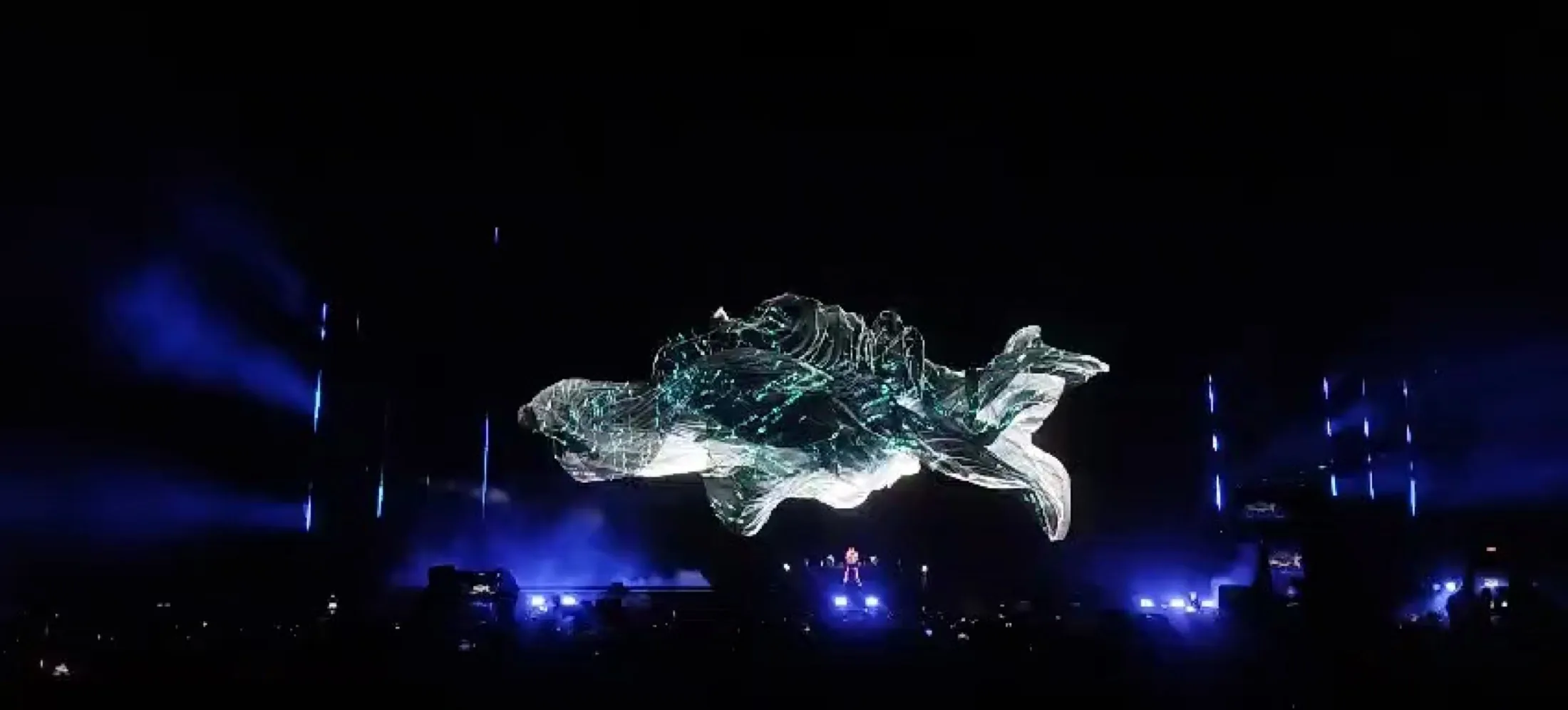
01 · Services
LED screen rentalfor your production.
Rent LED screens for conferences, exhibition stands, activations and shows. Choose equipment for your own technical crew or add installation and operation. We advise on indoor, outdoor, flat, curved and flexible configurations.
2.6 mm LED · 7,680 Hz · 1,000+ nits · A10s Pro · COEX control system for XR/VP
Design, supply and operation
Designed as a system.
We design the screen together with the resolution, structure, signal, power and redundancy your production needs.
Flat, curved and flexible
XR/VP studios and filming
Exhibition stands, floors and special configurations
COEX and A10s Pro for XR
Installation and operation
What do you need us to handle?
Choose equipment, installation or operation.
Rent a screen for your own crew to use or ask us to install and operate it. Choose what you need us to handle; we help size the equipment.
Equipment for your technical crew
- When it helps
- Your production already has people responsible for installation and operation.
- What you can hire
- We rent panels, processing and accessories for the configuration your production needs.
- How we coordinate it
- We coordinate transport and collection with your crew, and agree who handles installation, testing and operation.
Equipment and installation
- When it helps
- You need the screen installed and tested before your team takes over.
- What you can hire
- Add supports, installation crew and testing so the screen is installed and ready for handover to your team.
- How we coordinate it
- We arrange handover to your operator and schedule dismantling with your production team and the venue.
Equipment, installation and operation
- When it helps
- You also need crew to operate the screen during the programme.
- What you can hire
- Add operators to the equipment, installation and testing to run the screen during rehearsals and the event.
- How we coordinate it
- We review rehearsals, content and signals, and agree programme changes, operator shifts and dismantling.
Tell us your dates and venue so we can recommend a configuration and confirm available equipment. The quote lists equipment, tasks, crew and hours for your chosen option.
Before agreeing the scope
- Who delivers and collects the equipment, and at what times.
- Who installs, tests and operates each system, including rehearsals.
- Who provides content, signals, power and the venue technical contacts.
- How access, supports and approvals are coordinated with the venue team.
What happens after your enquiry
We help you choose the format, resolution and services. Using your event details, we prepare a proposal for equipment and technical work, and coordinate content, access and schedules with your production team.
Tell us your idea and what you already have covered. We can start before equipment models, measurements, dates or a venue are final.
I am not sure which option I need yetScreens in real projects
From a need to a real solution.
See how a main screen and side screens work together in a presentation, or how a curved surface integrates into an exhibition stand. Use the case closest to your idea to discuss your configuration.
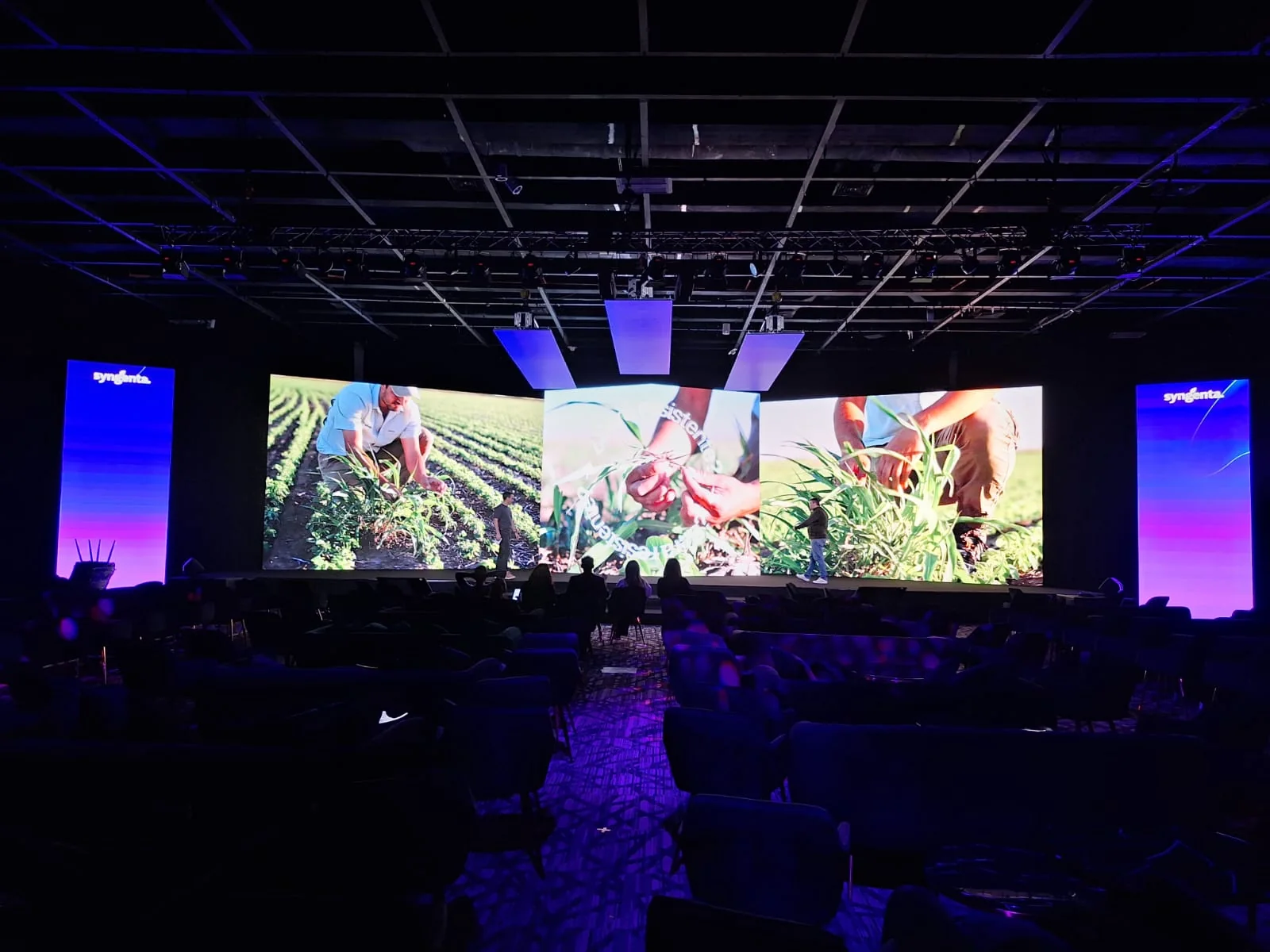
Corporate panoramic LED screen
Main screen and side panels for a corporate presentation.
View configuration and scope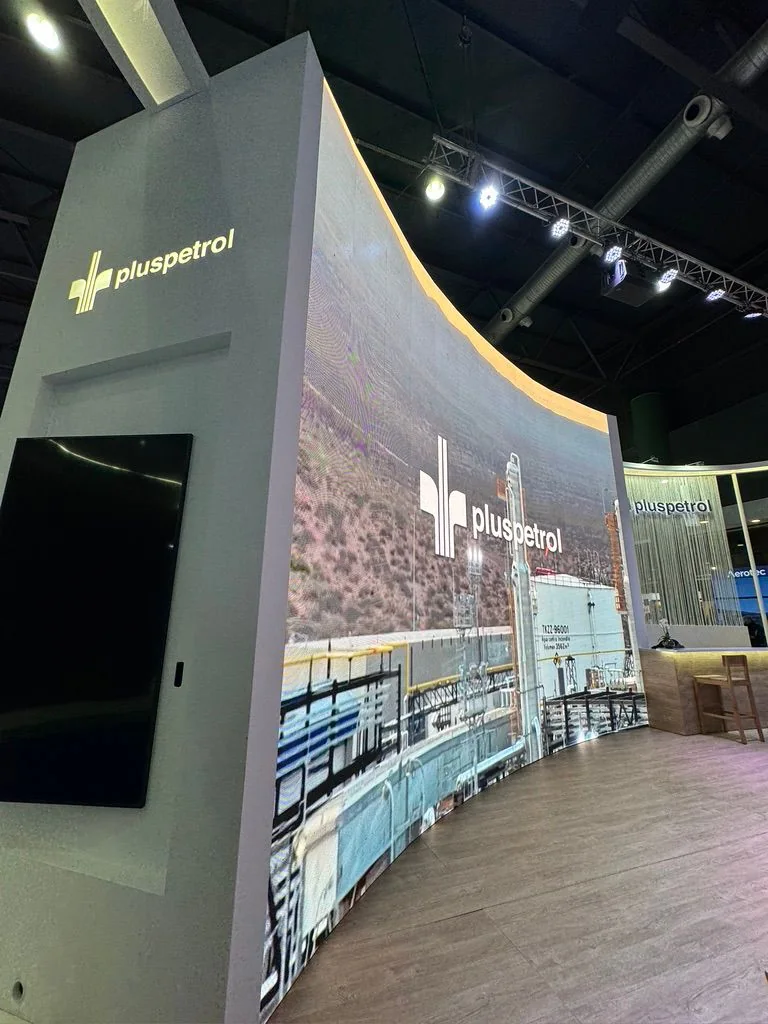
Curved screen for an exhibition stand
A tall wraparound LED surface integrated into an exhibition space.
View configuration and scopeLooking for a format like the panoramic example?
Request a quote for a main screen with side screens using this case as a reference. Ask for equipment for your production, add installation or include operation during the event.
I am not sure which scope I need yetYour enquiry carries the service, option and this project as an editable reference. You can change these options without deleting your message and tell us what to adapt to your venue and programme.
View the complete panoramic caseFAQ
Questions before preparing your enquiry
What details do you need to quote an LED screen rental?
To get started, tell us what you want to display and what type of event you are planning. You do not need to choose a model or know the final size. Add the date, city, venue, indoor or outdoor use, audience, dimensions and content when available; you can say what is still undecided. These details are used later to define the configuration, installation and operation in the proposal.
How is screen resolution selected?
We review viewing distances, dimensions and content. A presentation with text viewed up close requires different definition from a large-format concert image.
Does rental include installation and operation?
You can rent equipment only, add installation and testing, or also hire operators during rehearsals and the event. Tell us what your team already covers and the programme schedule so we can quote the support you need, including dismantling when requested.
What does pixel pitch mean for my event?
Pixel pitch is the spacing between pixels in an LED screen. The choice depends on viewing distance, screen size and content; a smaller pitch supports closer viewing, but the full display proposal still needs to be assessed.
How should I deliver videos and presentations for the screen?
Confirm the delivery brief first: pixel canvas, aspect ratio, frame rate, audio and playback system. A sample allows the material to be reviewed before the event. Physical dimensions alone do not define the file; it should match the agreed pixel map.
Which venue details help define the LED setup?
Share a plan or photos, screen position, access routes, available installation times and the venue technical contact. State whether the screen is intended to be ground-supported or suspended. Support, power and approvals must be confirmed for that venue and configuration.
LED capacity
Resolution for each production.
Extensive inventory of high-resolution, high-refresh-rate screens for events, camera, television, commercials and virtual production studios.
You can enquire with your objective, venue and what is already covered, without first choosing an LED family. Use the form on this page and indicate what is still undecided.
Enquire without choosing a modelP2.5 · 2.5 mm
- Reference area: over 120 m²
- Refresh rate up to 3,840 Hz
- High definition and contrast
- XR/VP studios and filming
P2.6 · 2.6 mm
- Reference area: over 540 m²
- 7,680 Hz refresh rate
- Over 1,000 nits brightness
- A10s Pro receiving cards
- COEX control system for XR/VP studios
P2.97
- Reference area: over 540 m²
- Refresh rate up to 3,840 Hz
- Conferences, shows and exhibition stands
- Large high-resolution surface
P3.91
- Reference area: over 1,700 m²
- Indoor, outdoor and large formats
- Flat and special configurations
- Operation for large-scale events
P4.81
- Reference area: 300 m²
- High brightness
- Stages and large audiences
- LED floor configurations
P5.2 and P5.95
- Reference area: over 260 m²
- High brightness for outdoor use
- Floors and large-scale configurations
- Design based on viewing distance
3,500+ m²
- Indoor and outdoor
- Flat, curved and flexible
- High refresh rate
- Processing, calibration and redundancy
Surface areas are approximate and subject to availability for each project. Full technical details are provided during planning.
To continue comparing, choose the intended use or review a documented configuration. You can then define the equipment, installation or operation you need with the service options on this page.
Function room, auditorium or exhibition stand
For a function room, auditorium or exhibition stand, tell us what needs to be shown and how the space is used. You can enquire before choosing pixel pitch, a model or final dimensions.
Review criteria for indoor useOutdoors or in a covered area
Tell us whether the event is outdoors or in a covered area, how the audience will be arranged and what needs to be seen. Exposure and venue conditions are reviewed before equipment and installation are defined.
Review the venue and outdoor useI want to see a completed configuration
See how a main screen and side screens work together in a presentation, or how a curved surface integrates into an exhibition stand. Use the case closest to your idea to discuss your configuration.
View documented projects and scopeOur working method
Planning, installation
and operation.
Coordination begins well before installation and continues until the last piece of equipment leaves the venue.
Site assessment
Venue, access, audience, loads, signal, power and actual schedules.
Design
A properly sized technical proposal with clear scope, resources and responsibilities.
Preproduction
Plans, content, testing, logistics and coordination with all teams.
Installation and operation
Installation, checks, show, support and removal according to agreed responsibilities.
Real equipment
Ready to produce.
Images of Eventos Globales work and equipment.
Next project
Get a screen quote for your event.
The sooner we understand the venue, audience and objective, the better we can design the solution.
Start with the idea and the details you already have in the form on this page. You do not need a final model, dimensions, date or venue to enquire. If drawings, renders or content are available, mention what you have so we can agree how to share it; the form does not accept attachments.
This preview prepares a summary for review; it does not send your enquiry to the team.
Tell us what you are planning
Tell us what you need to achieve.
Tell us your goal and the services you need. Add dates and a venue if already confirmed; we can also start while you are still deciding.
Av. Jujuy 1860 (C1247ABT), Oficina "A", Parque Patricios, CABA, Argentina
Reference documentation
Official reading supporting the technical criteria described. Each project’s requirements and equipment are defined in its proposal.