
Project · Corporate presentations
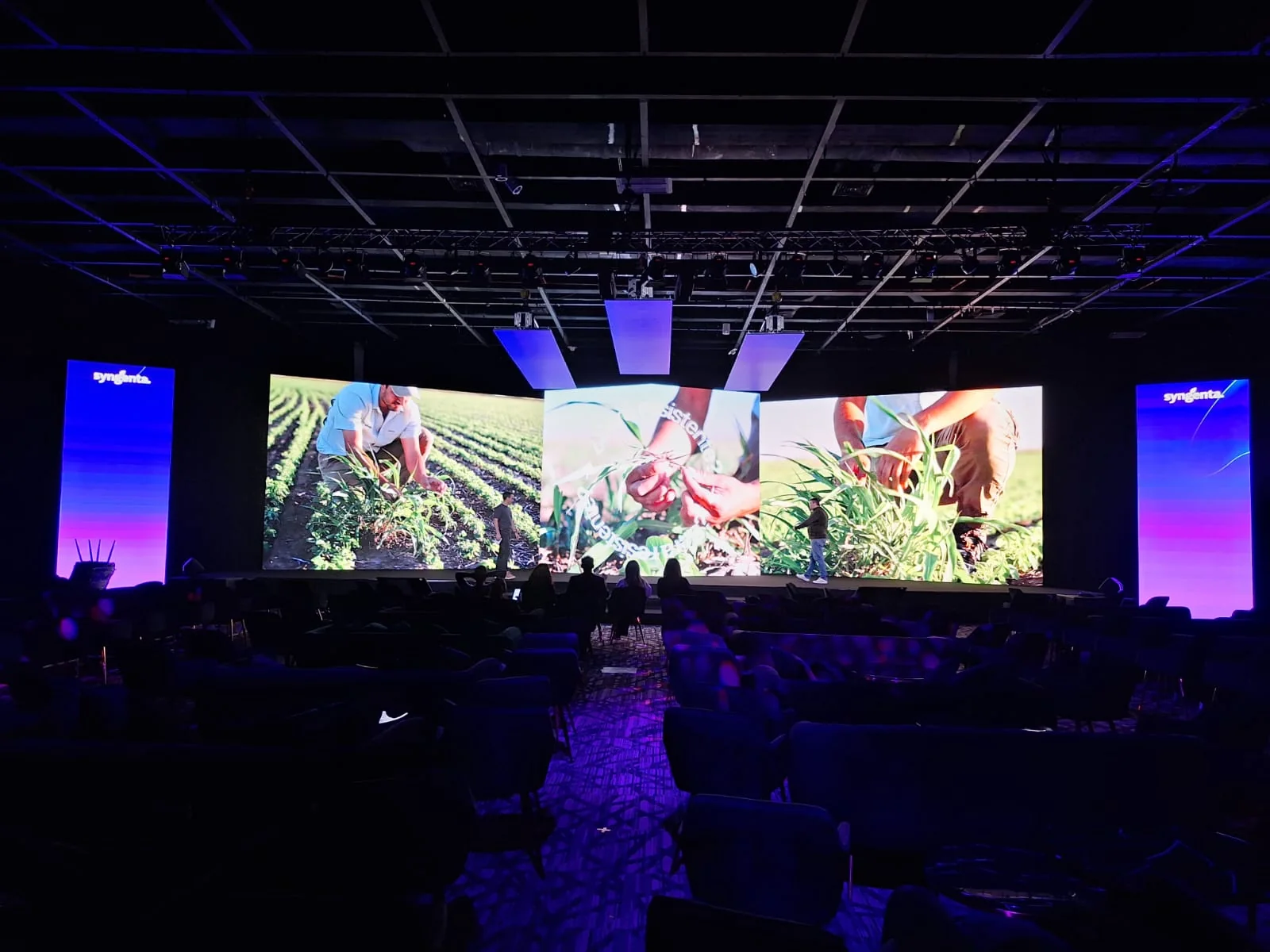
Corporate panoramic LED screen
Main screen and vertical side screens for a large-format corporate presentation.
Planning a presentation with a main screen and side screens? Request a rental quote for a configuration for your event. Tell us what you want to display; this case accompanies your enquiry as an editable reference.
Use this format as a starting point. We adapt the new configuration to your space, what the audience needs to see and your presentation content.
The technical solution
Panoramic LED screen for a convention
The configuration combines a main surface and side screens to distribute visual information. The application requires defining content proportions and positions based on audience readability.
Discuss a similar project ↗- Application
- Corporate presentations
- Context
- Corporate convention
- Configuration
- Main screen + side screens
If your project needs a similar solution
Plan your presentation with several screens.
You can start with what you need to display while dimensions and configuration are still undecided. Add these details when available to assess your space:
- Room and stage dimensions, and audience distance.
- Functions of the main screen and side panels.
- Presentations, videos and signals to be displayed.
Configuration highlights
- Configuration
- A panoramic main screen with side surfaces in a corporate configuration.
- What it helps assess
- The visual organisation of a presentation using several image planes.
- For a similar proposal
- Define what each audience area sees and what content each surface needs before agreeing the delivery resolution.
Your next project
Start with what you need to display.
Request LED equipment for your technical crew or add installation and operation. Tell us what you want to display and what you already have covered; you can enquire while dates, venue and dimensions are still undecided.
In Contact, you can adjust the service and this reference without deleting your message. Start with your name, email and what you need; add event details when available. If you have plans or presentations, mention what is available so we can arrange how to share it: the form does not accept attachments.
How the enquiry works · opens in another tab
This preview prepares a summary for review; it does not send your enquiry to the team.